
Passport Photo Maker Online
Upload a photo and create passport, visa, and ID photos with the correct size and white background
Drag and drop a file here
Supported formats: JPG, PNG, WEBP
Maximum file size: 10MB
How to Make Passport Photos Online
Upload a photo, choose the passport or visa size, and download a digital photo or 4x6 print layout in three simple steps.
Start with a clear front-facing photo. The passport photo maker detects your face and prepares it for passport, visa, or ID photo sizing.
Step Details
- Use a recent photo taken within the last 6 months
- Look straight at the camera with your full face visible
- Use even lighting with no strong shadows
- Remove glasses, hats, headphones, or face-covering accessories
- Supported formats: JPG, PNG, WEBP (max 10MB)
Pro Tip
A smartphone photo works well when it is sharp and not distorted by a wide-angle selfie lens. Ask someone else to take the picture if possible.
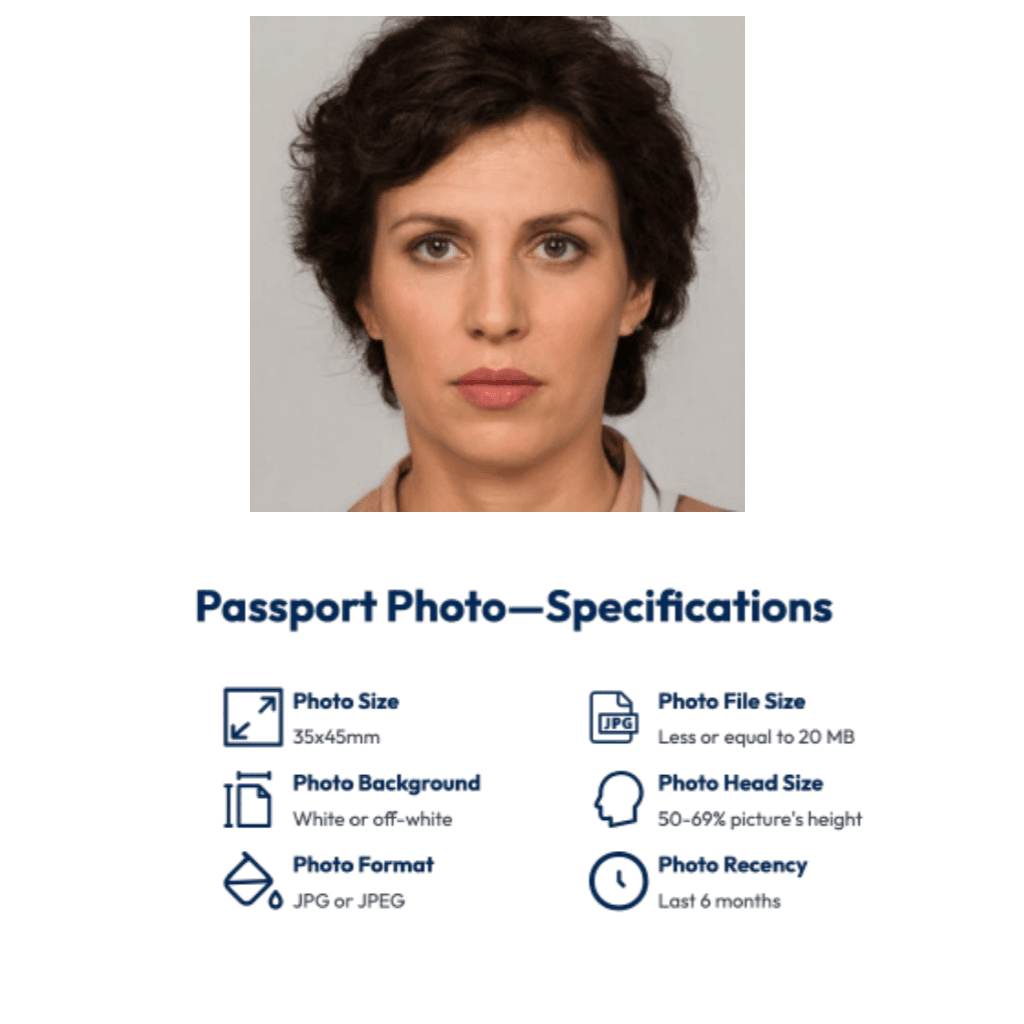
Select the document size you need, such as US passport photo 2x2 inch, UK 35x45 mm, EU 35x45 mm, visa photo, or custom ID size.
Step Details
- Choose US 2x2, 35x45 mm, or another document format
- Preview the face crop and head position
- Use a white or plain background when required
- Keep both eyes visible and use a neutral expression
- Check the document rules before final submission
Pro Tip
Passport and visa photo rules can change by country and application type. Always confirm the latest official requirement before submitting.

The tool crops, resizes, and prepares your passport photo. Download a digital file for online applications or a 4x6 sheet for printing.
Step Details
- Create a clean white or light background
- Crop the photo to the selected passport photo size
- Download a single digital passport photo
- Download a 4x6 print layout with multiple copies
- Print at 100% scale on photo-quality paper
- Avoid fit-to-page or automatic print scaling
Pro Tip
Use the digital photo for online forms and the 4x6 sheet for paper applications, pharmacies, and local photo stores.

Use Even Lighting
Stand facing soft daylight or a large light source. Avoid side light, glare, and shadows on your face or background.
Start With a Plain Background
A clean wall gives the AI a better starting point, even when the final passport photo needs a white background replacement.
Keep a Neutral Expression
Look directly at the camera, keep your mouth closed, and make sure both eyes are open and visible.
Use a Sharp Photo
Use the highest-resolution image available. Blurry, pixelated, or heavily filtered photos can be rejected.
Wear Contrasting Clothing
Darker solid colors usually work better against a white or light passport photo background.
Print at Actual Size
For 4x6 passport photo sheets, print at 100% scale on photo-quality paper. Do not fit to page.
Wrong passport photo size
Choose the exact size for the document, such as US 2x2 inch or 35x45 mm, before downloading
Busy or shadowed background
Use a plain white or light background with no patterns, objects, or shadows
Wearing glasses or accessories
Remove glasses, hats, headphones, and anything that covers your eyes or face unless officially allowed
Low resolution or filtered photo
Use a clear, high-resolution color photo with no beauty filters or heavy editing
Incorrect print scaling
Always print at actual size (100%) without scaling or fitting to page
AI Crop and Background Cleanup
Automatically crop the face, clean up the background, and prepare a passport-style image.
Passport, Visa and ID Sizes
Support for common document sizes including US 2x2 inch, UK/EU 35x45 mm, China ID, and custom formats.
Fast Online Preview
Preview your passport photo online before downloading the final digital file or print layout.
Digital and Print Outputs
Download a single digital photo for online submission and a 4x6 sheet for home printing.
Can I make a passport photo online from a selfie?
Yes. Upload a clear front-facing selfie or portrait, choose the document size, and download a digital passport photo or print layout.
What passport photo sizes are supported?
Common sizes include US Passport 2x2 inch, UK/EU 35x45 mm, China ID 25x35 mm, and custom sizes for visas and ID documents.
Can I use this for visa photos?
Yes. You can make visa photos for Schengen, US visa, Canada visa, student visa, work permit, and other document applications.
Do passport photos need a white background?
Many passport and visa photo rules require a white or light plain background. The tool helps prepare a clean passport-style background.
Can I print the passport photo at home?
Yes. Download the 4x6 print layout and print on photo paper at actual size. Do not use fit-to-page scaling.
What photo formats are supported?
You can upload JPG, PNG, and WEBP files up to 10MB.
Ready to Make Your Passport Photo Online?
Upload a photo and download a digital passport photo or printable 4x6 sheet in minutes.